capacix
Software · Capacix WFM suite

Plan the way you work.

One suite for the whole WFM cycle: forecasting, capacity planning, scheduling, intraday and reporting. Set up for your teams, your rules and your telephony.

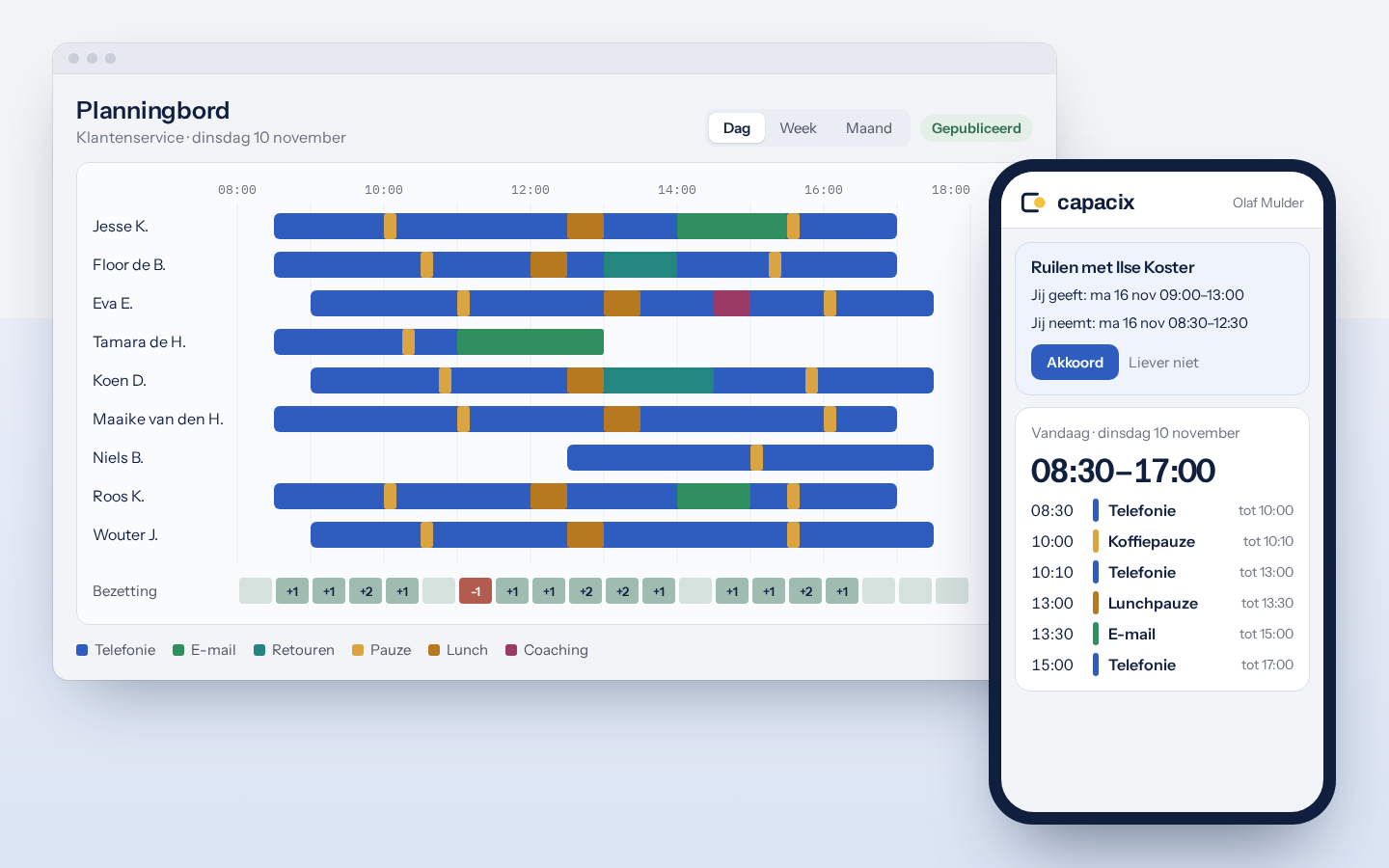
The Capacix WFM suite: the planning board, with My schedule on a phone
The cycle
  1. 01ForecastA new forecast every week, on your own history.
  2. 02CapacityFTE per week, with shrinkage and training.
  3. 03ScheduleA schedule that follows demand.
  4. 04SteerEvery half hour a view of the day, live on the floor.
  5. 05ReviewReporting by day, week and month.
Forecast

A forecast per half hour, up to a year ahead

Every week the suite makes a new forecast on your own history. Several models run alongside, and the best one proposes the forecast. Planning only uses it once WFM has approved it.

  • Weekly rhythm, seasons, public holidays and campaigns included.
  • Measured every week against what actually came in.
  • Per workstream you see how far off the forecast was.
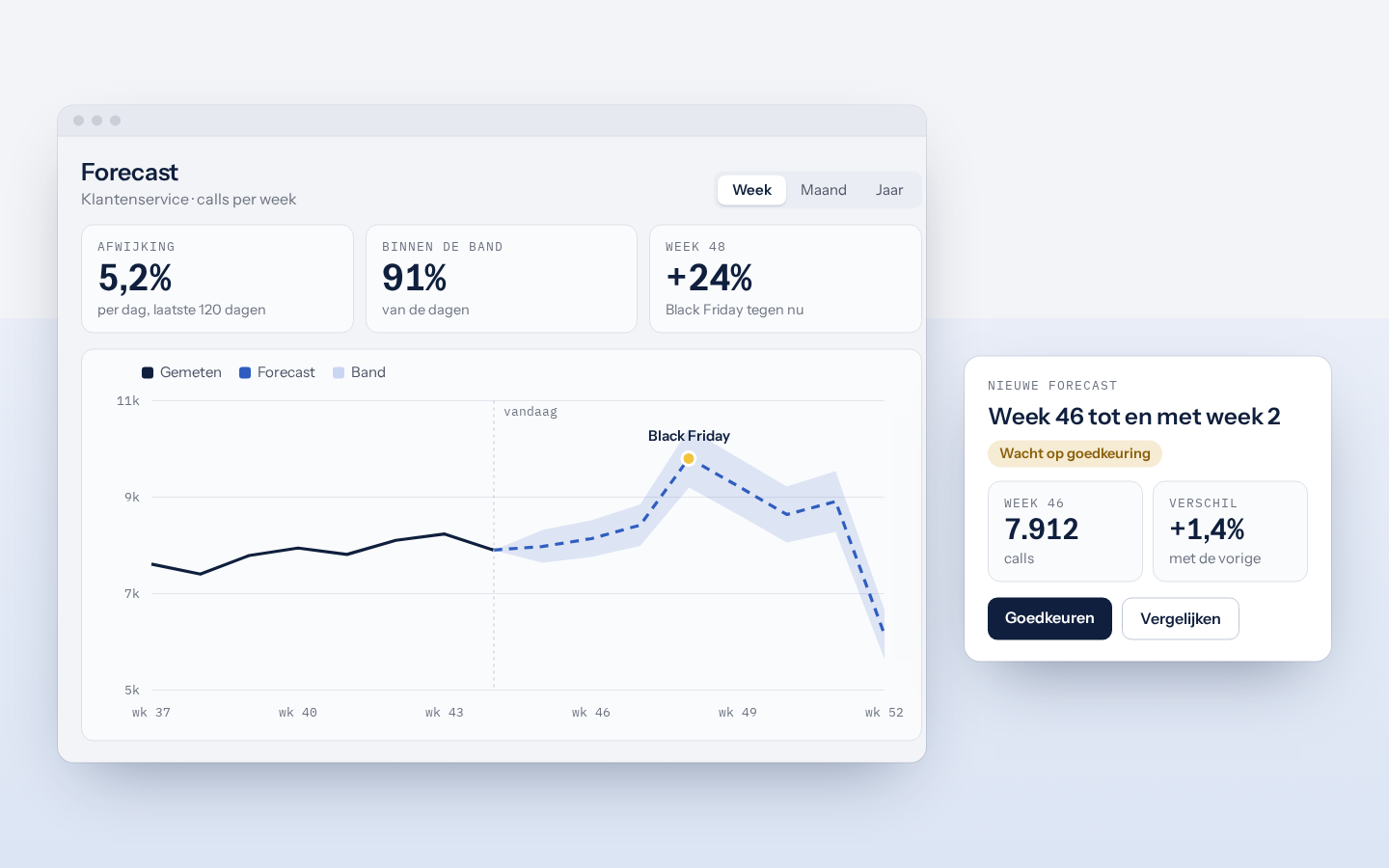
Velora's forecast per week, with Black Friday and a new forecast waiting for approval
Capacity

Know in time how many people you need

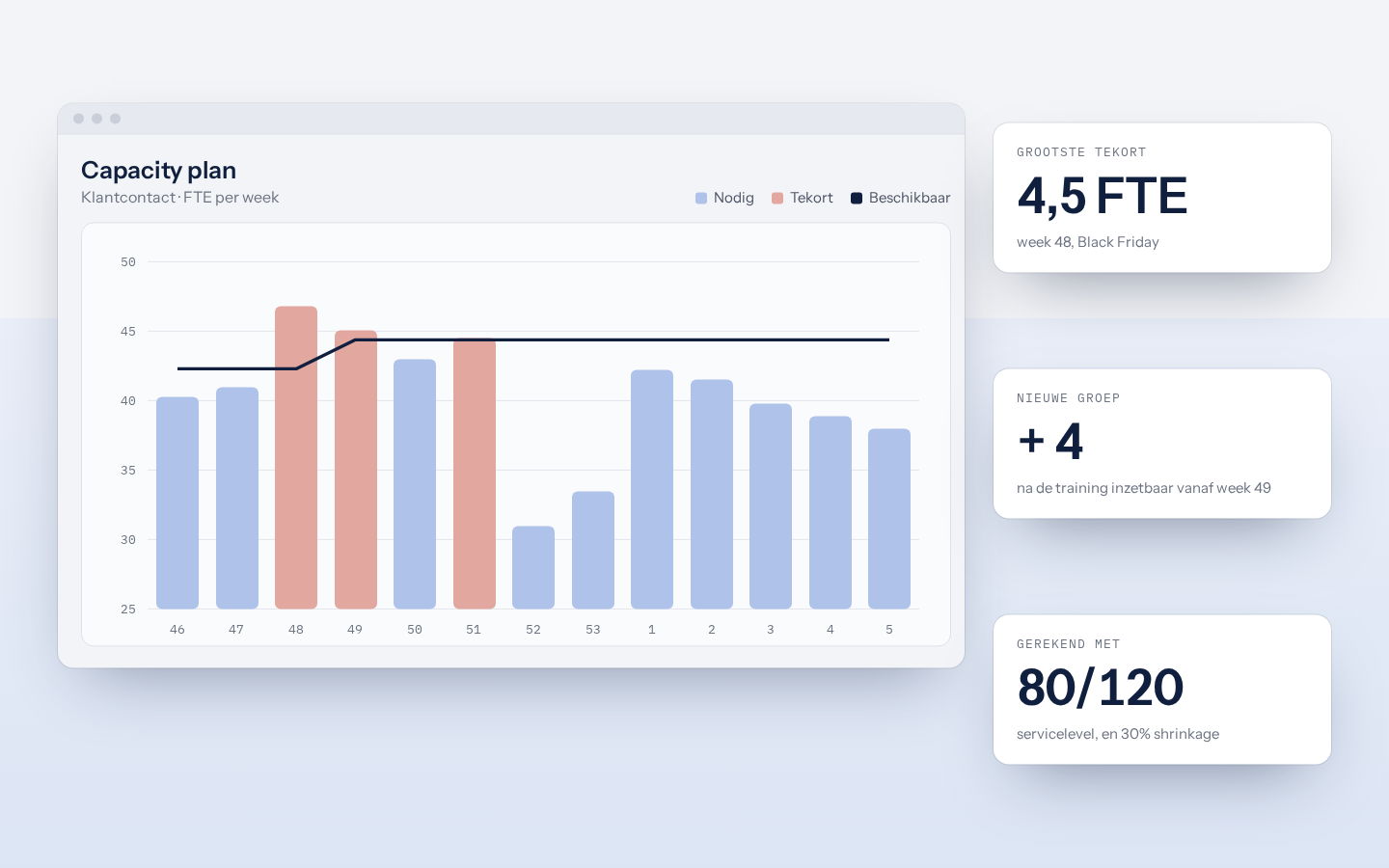
The capacity plan turns the forecast into FTE per week, months ahead. It counts the contracts of the people you have, shrinkage and planned training. So you see well in time when to recruit.

  • Erlang C for telephony, hours for e-mail and back office.
  • Training from the training calendar counts.
  • Scenarios for recruitment and intake.
Velora's capacity plan: FTE per week, with the shortfall around Black Friday
Schedule

The schedule follows demand

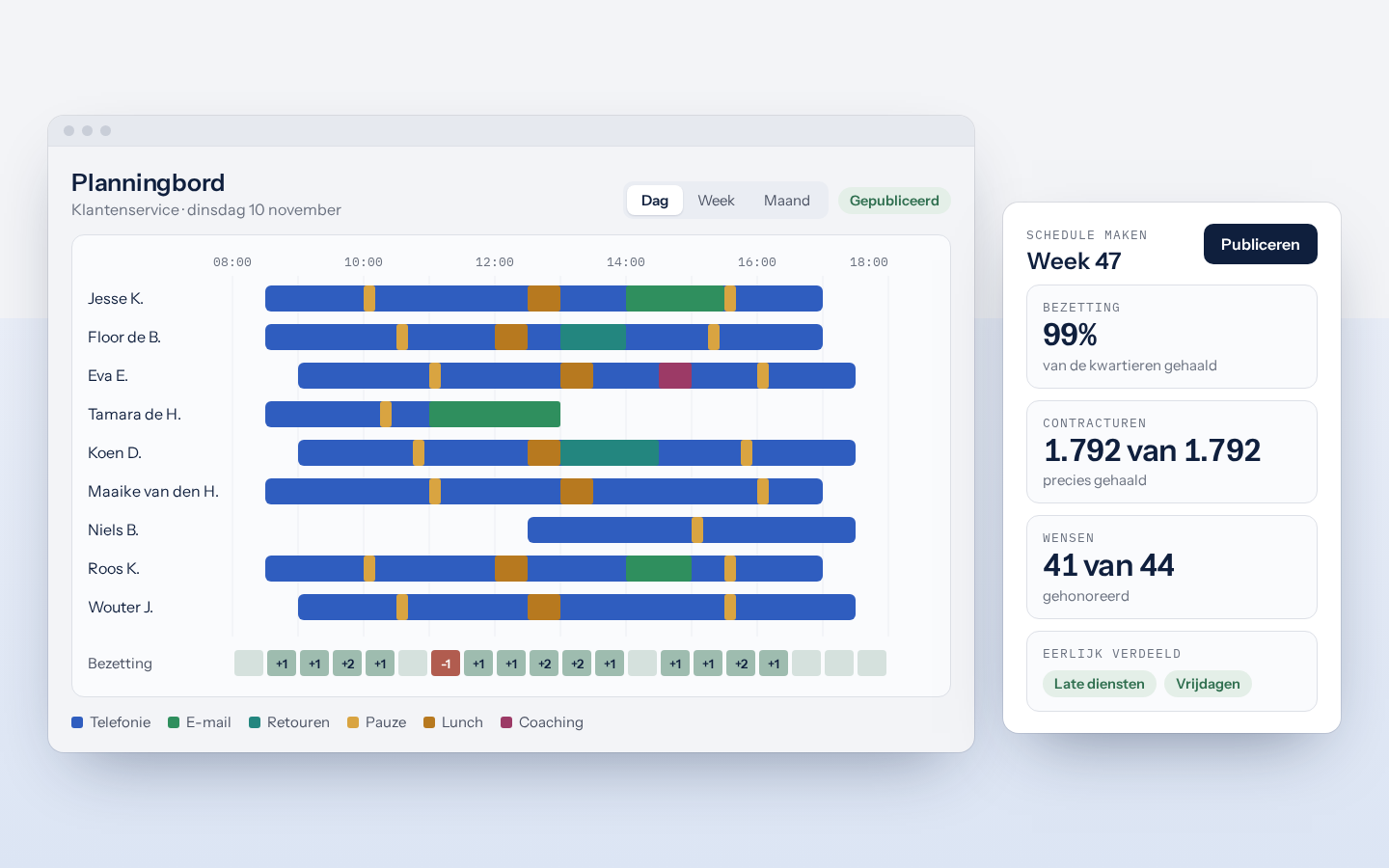
The suite builds the schedule itself. Shifts, breaks and tasks land so that staffing follows demand. The preferences of employees count. Then you adjust on the planning board with the mouse, by day, week or month.

  • Rules per team for shifts, breaks, contract hours and minimum staffing.
  • Time off rules per team, with a waiting list when a week is full.
  • Team leads request coaching and one-to-ones, WFM approves.
Velora's planning board with the day per employee, and the proposal from Schedule maken
Employees

The schedule in your pocket

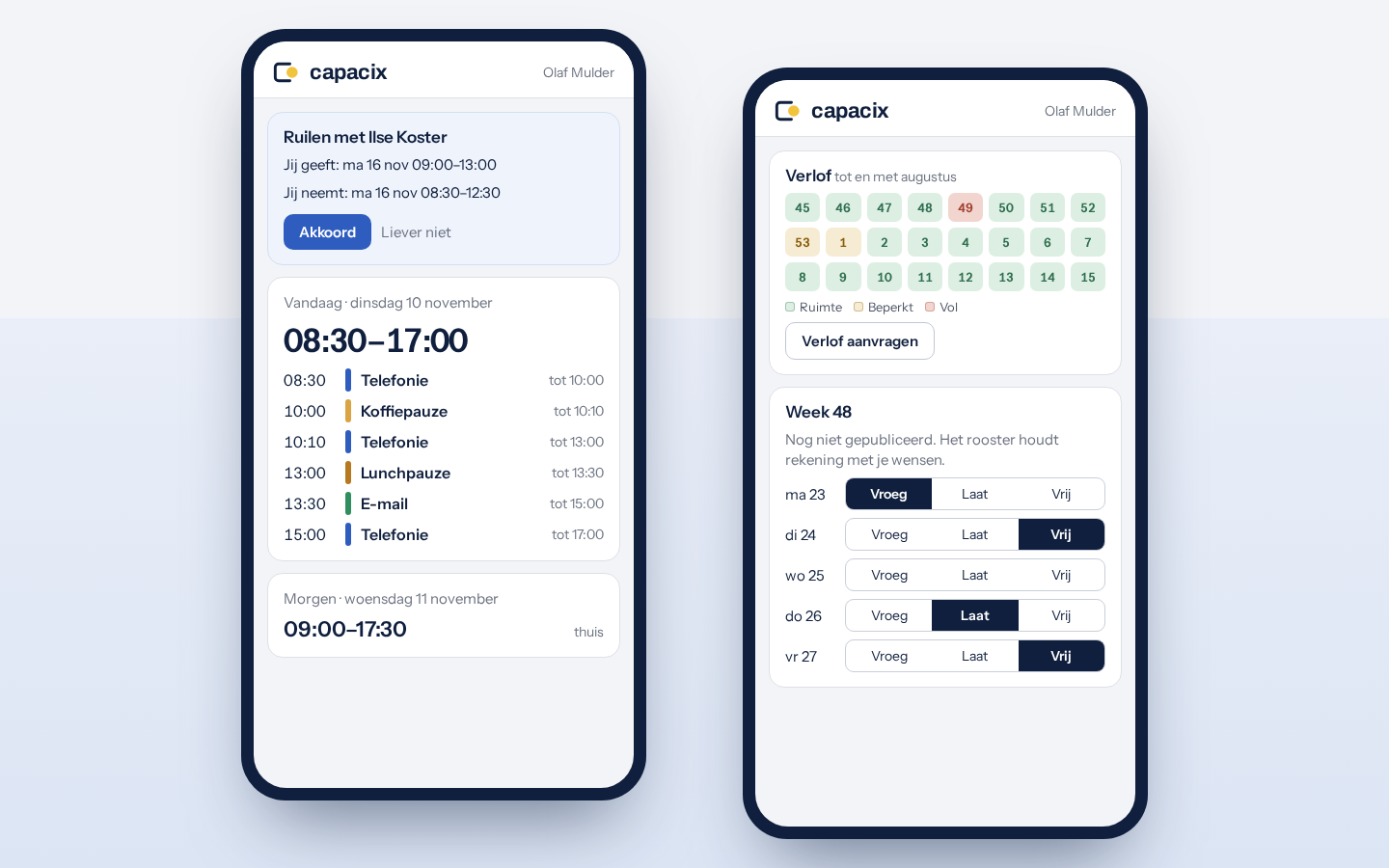
Employees see their schedule on their own phone, with every break and every task. They see per week whether there is room for time off, and request it right away. There is nothing to install.

  • Swap a shift with a colleague.
  • Preferences per day: early, late or off.
  • A nudge on the computer just before each break.
My schedule on two phones: a swap request and today's schedule, and the room for time off with the preferences for week 48
Steer

Know where you stand every half hour

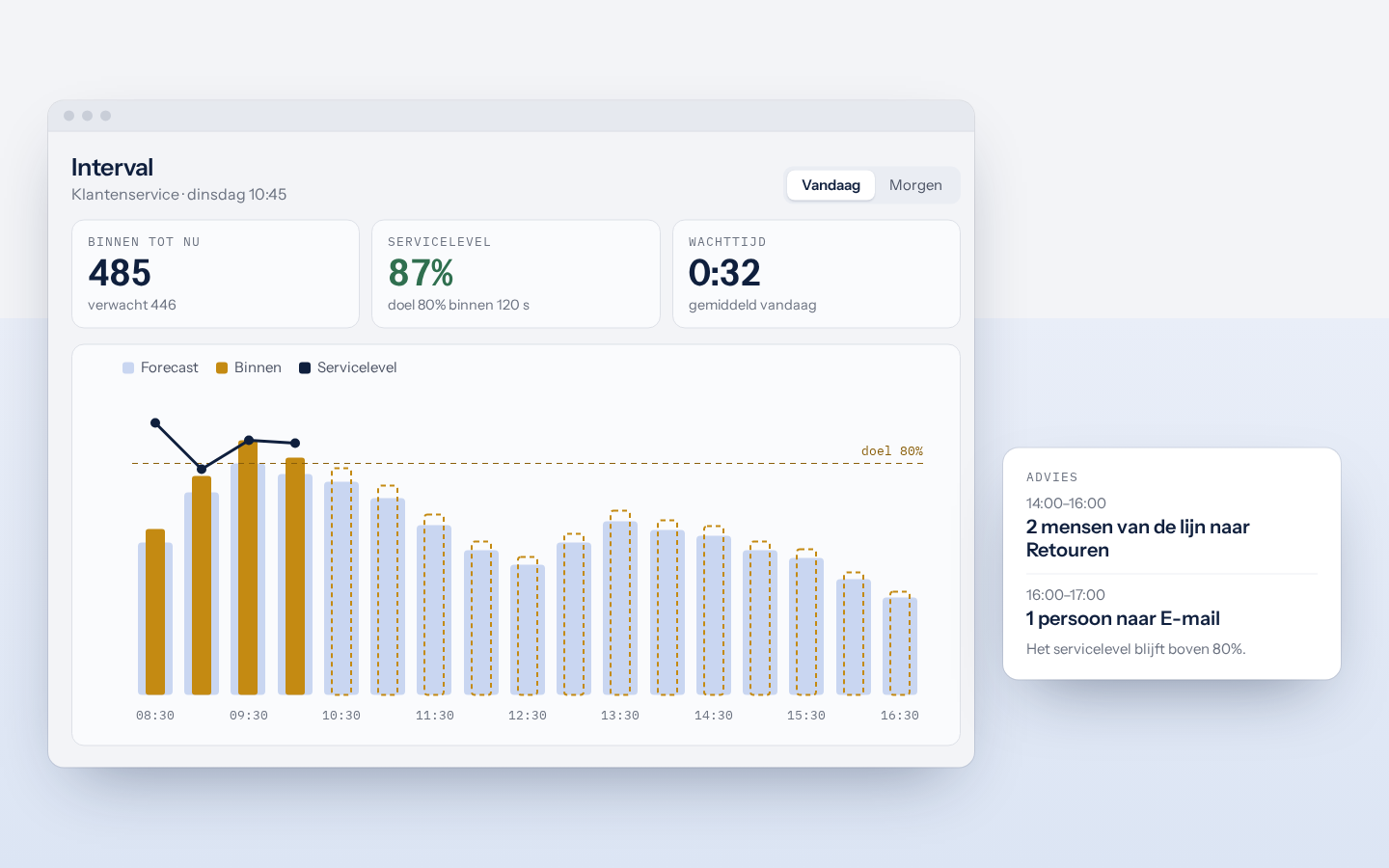
The Interval screen sets today's volume against the forecast, and staffing against what is needed. The forecast for the rest of the day moves with what comes in. The advice says who can leave the line for other work, and when.

  • Service level and waiting time per half hour.
  • The backlog per task, and what is past its norm.
  • Redistribute breaks when the day turns out differently.
Interval: volume per half hour against the forecast, with the advice for the afternoon
Live

Live on the floor

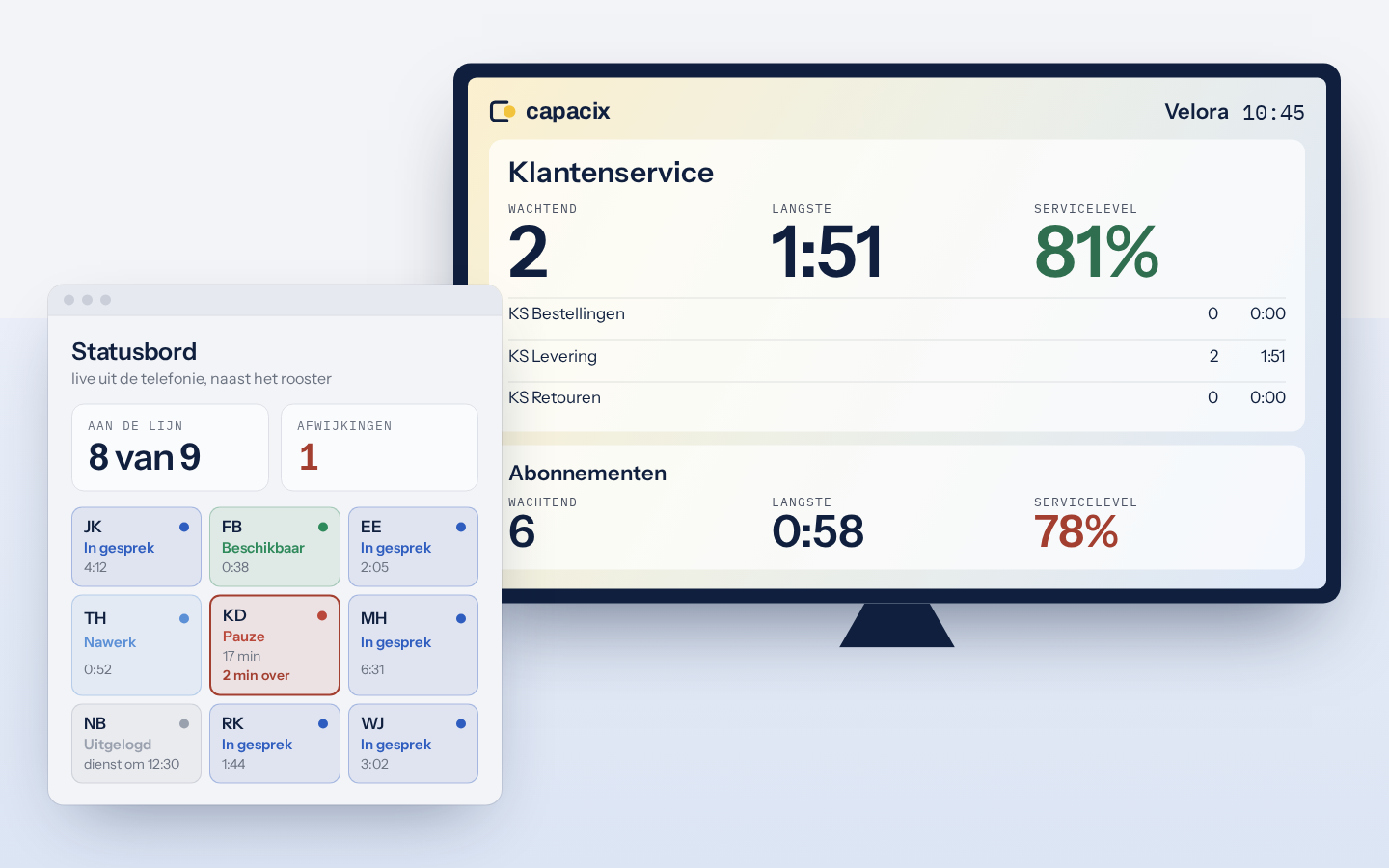
The wallboard and the TV screen show the queues live, per team. The status board reads along with the telephony: who is on the line, who is on a break and who follows the schedule.

  • Adherence per employee, straight from Mitel.
  • A TV screen for the floor, without logging in.
  • An alarm as soon as a caller waits too long.
The TV screen with the queues of Customer service and Subscriptions, with the status board beside it
Review

The report in your mailbox at the end of the day

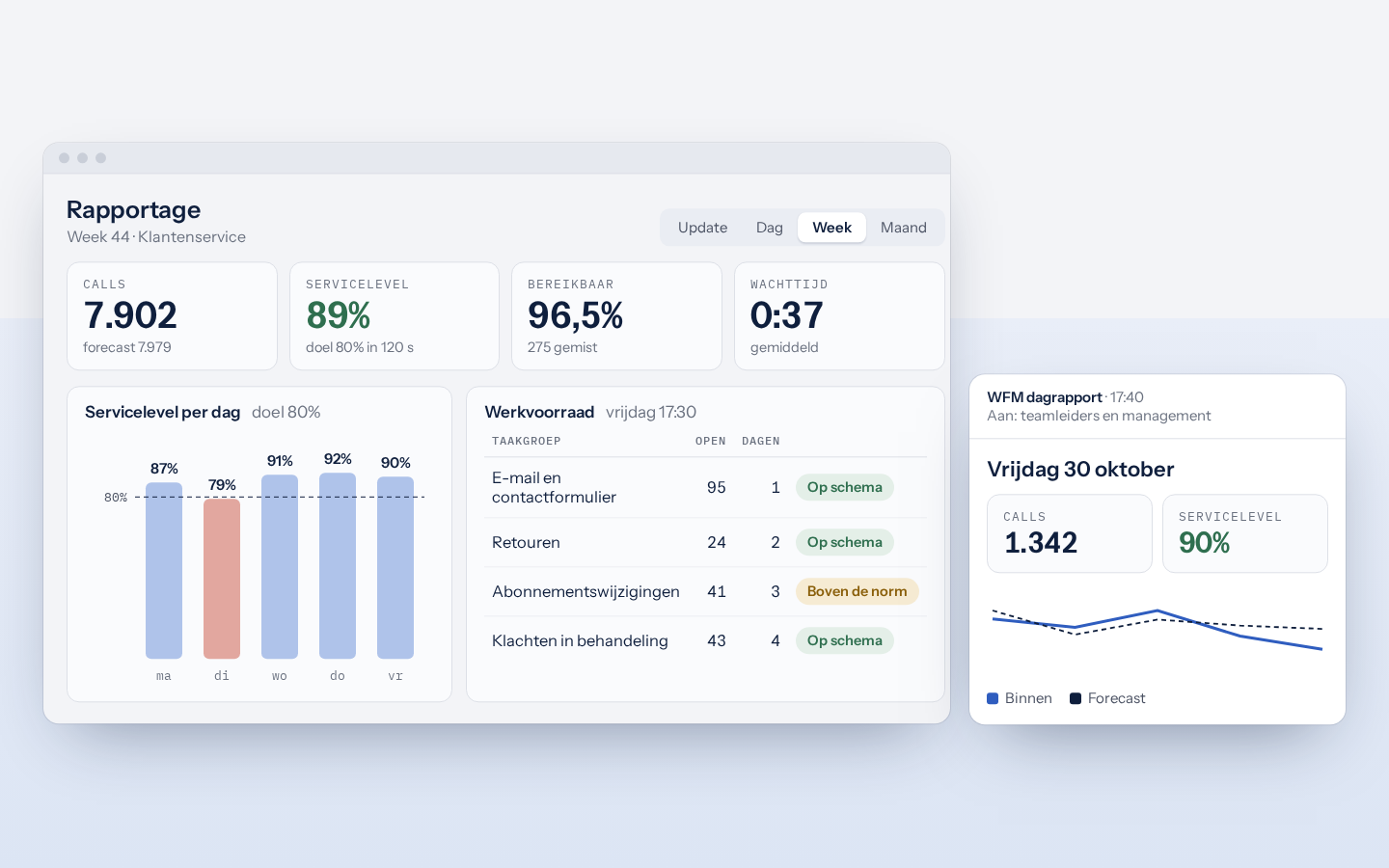
Reporting shows calls, service level, waiting time and backlog per team, by day, week and month. During the day there are updates to share with the floor. At the end of the day the daily report goes to team leads and management.

  • Forecast next to actuals, by day and by week.
  • The oldest task per backlog, against its norm.
  • Updates during the day, shared in one click.
Velora's weekly report, and the daily report by e-mail
Quick sum

How many people do you need?

The same sum the suite makes every half hour: Erlang C. Fill in your own figures.

on the line-
scheduled-
service level-
average wait-
occupancy-
Tailored

Set up for your operation

Your connections

Telephony from Mitel, figures from Excel or Power BI and the detailed planning from your own report.

Your rules

Shifts, breaks, shrinkage, service levels and leave rules, per team.

Your roles

Sign in with your business account from Microsoft or Google. Everyone sees what belongs to their own role, from planner to employee.

SaaS, hosted by Capacix

You work in the browser. We host and maintain the suite, so there is nothing to install or keep up to date.

Demo

Try it yourself at Velora

Velora is a made-up web shop for home and garden, with a customer service team and a team for subscriptions. The demo holds figures from January 2024 and over sixty employees. On working days the day runs live. Request access and we will send you the login details.